
How to File a Police Report in Qatar
The official Metrash process to file a criminal complaint with the Ministry of Interior in Qatar, when to call 999 instead, and how to report cybercrime specifically.
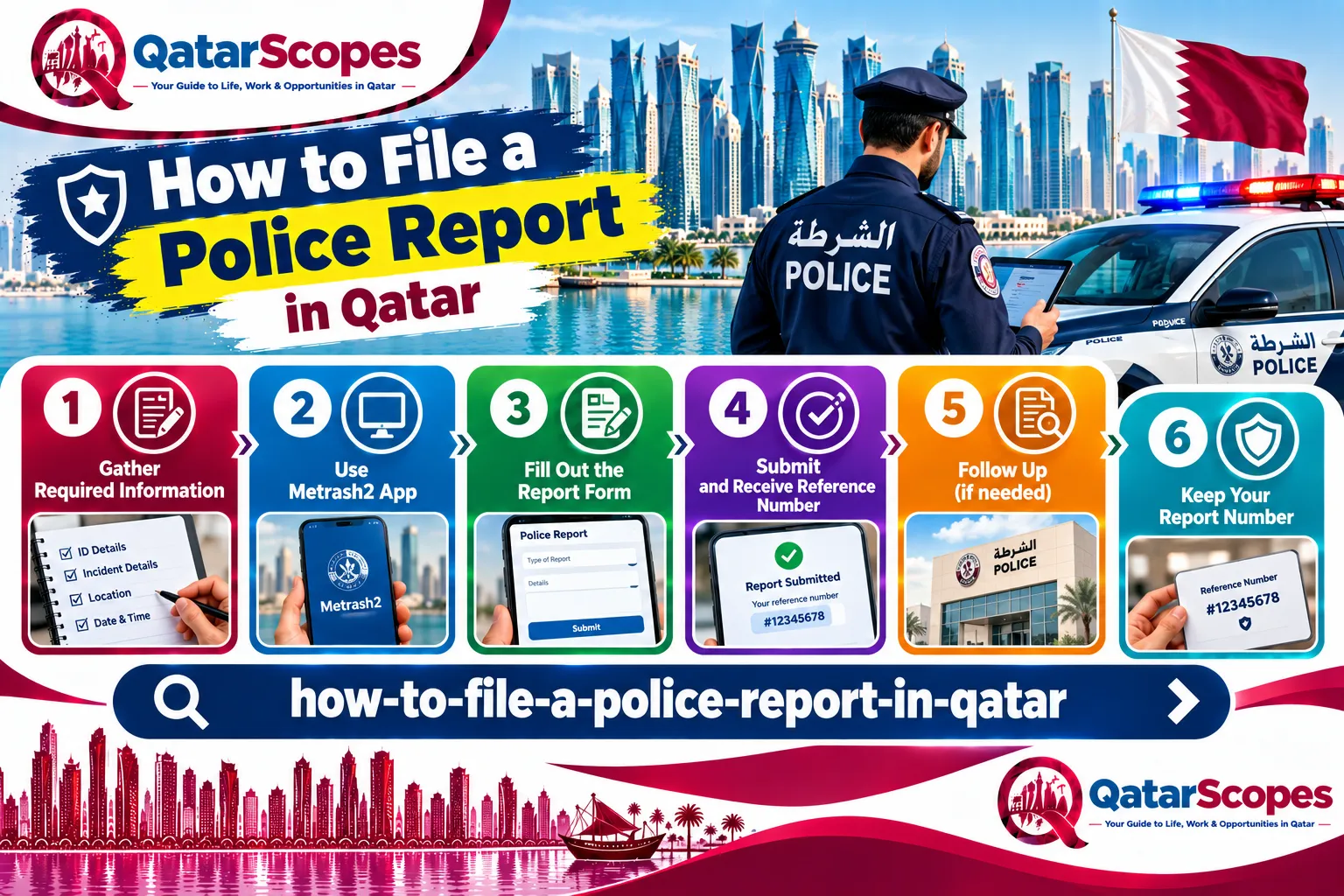
Filing a police report in Qatar generally runs through Metrash rather than an in-person report at a station, at least for non-emergency situations. This guide follows Hukoomi's own official service page for filing a criminal complaint. We read it directly in September 2026.
When to call 999 instead
This service is for filing a complaint about something that has already happened, not an active emergency. For a crime in progress, an accident, or any situation needing an urgent police response, call 999 directly rather than using the app-based process described here.
How to file a criminal complaint through Metrash
Hukoomi's own page describes these steps:
1. Log in to the Metrash app by entering your QID number and password.
2. Click Communicate with Us on the main screen, then select Complaints.
3. Select the application type and the relevant department.
4. Write your complaint details, add the address, and upload a photo related to the complaint.
5. Review your contact details and check the legal liability box.
6. Click Submit.
The page states no fees are required for this service. For more information, Hukoomi lists the Ministry of Interior on 2367111.
Why the app asks for a photo and an address
This is our own analysis of the process, not stated directly by Hukoomi. Requiring a photo and a specific address suggests the service is built primarily around reportable incidents with a physical location and visible evidence, such as property damage, theft from a specific place, or a dispute at an identifiable location, rather than every possible category of complaint. If your situation does not fit that pattern, such as an online scam or a harassment case without a physical scene, consider whether a different Ministry of Interior channel, such as the one described below for cybercrime, fits your situation better.
Reporting cybercrime specifically
General reporting describes a separate channel for cybercrime and similar offenses through the Ministry of Interior's Economic and Cyber Crimes Combating Department, reachable through the Metrash2 app specifically, a hotline on 66815757, a phone line on 2347444, or by email. We did not independently verify these contact details against an official page this session, so confirm the current details before relying on them, and note this may now run through the current Metrash app rather than the older Metrash2, given the platform switch our site covers elsewhere. See our guide to Metrash not working if you are having trouble with the app itself.
What to have ready before you file
- Your QID number and Metrash login.
- The specific address or location where the incident happened.
- A photo relevant to the complaint, if one applies to your situation.
- A clear, factual description of what happened, since this is what the reviewing department works from.
After you submit
Hukoomi's page does not describe what happens after submission or give an expected response time. If you need to follow up, the 2367111 number listed on the page is your direct route to ask about your specific complaint's status.
If your complaint involves a specific document or ID
If your complaint is specifically that your QID has been lost or stolen, that runs through a related but separate Hukoomi service with its own security notification requirement. See our guide to a lost or damaged Qatar ID for that specific process.
If you need the report for an insurance or visa purpose
This is our own analysis, since Hukoomi's page does not describe follow-on uses of a filed complaint. If you need documentation of an incident for an insurance claim, such as after a theft or property damage, or for another official purpose, ask specifically how to obtain a formal written copy or reference number for your complaint when you follow up on 2367111, rather than assuming the in-app submission itself serves as sufficient documentation on its own.
The difference between a complaint and a Police Clearance Certificate
It is worth distinguishing this service from a Police Clearance Certificate, which is a different Ministry of Interior service confirming whether you personally have a criminal record, commonly needed for employment, visa, or immigration purposes in another country. Filing a criminal complaint about an incident that happened to you is not the same request, and does not itself generate a clearance certificate. If you need a clearance certificate specifically, search for that service by name on Hukoomi rather than using the complaint process described here.
What tends to go wrong
This is general, practical guidance based on how similar app-based government processes elsewhere tend to work, not specific to this service. Complaints that are vague about location, timing, or the nature of the incident are less likely to be actioned quickly, since the reviewing department has to work from what you submit. Take a few minutes to write a clear, chronological account before you start the Metrash form, rather than composing it on the fly inside the app, and attach the clearest photo you have rather than the first one you find.
Common mistakes
- Using this non-emergency process for an active emergency, when 999 is the correct number to call.
- Not having a specific address ready, since the form asks for one directly.
- Submitting a complaint without a relevant photo when one would clearly support your case.
- Assuming this general complaint service is the right channel for a cybercrime-specific issue, when a separate department is reported to handle those.
What we could not verify
- What happens procedurally after a complaint is submitted, or a typical response time.
- Current, confirmed contact details for the cybercrime-specific reporting channel.
- Whether every type of non-emergency complaint fits this same Metrash process, or whether some categories are routed differently.
Frequently asked questions
How do I file a police report in Qatar?
For non-emergencies, through the Metrash app: log in, select Communicate with Us, then Complaints, choose the type and department, describe the incident with an address and a photo, then submit.
What number do I call for an emergency in Qatar?
999, for a crime in progress or any situation needing an urgent police response.
Is there a fee to file a criminal complaint?
No. Hukoomi's page states no fees are required for this service.
How do I report cybercrime in Qatar?
General reporting points to the Ministry of Interior's Economic and Cyber Crimes Combating Department through Metrash2, though we could not verify current contact details this session.
Who do I contact for more information?
Hukoomi's page lists the Ministry of Interior on 2367111.
Sources & references

Agha Ali Abbas
Founder & Editor
More on Guides
Explore everything you need to know about qatar guides.
Related articles
Your First Week in Qatar: The Complete Checklist
Exactly what to do in your first seven days in Qatar, from your Qatar ID and SIM card to the real problems new arrivals run into and how to fix them.
Qatar ID (QID): Renewal, Replacement, and Everything Else to Know
When to renew your Qatar ID, what it costs to replace a lost one, and what actually happens if you let it expire.

How to Get a Driving License in Qatar: New or Exchanged
Whether your home country license qualifies for a direct exchange or you need to sit a Qatari driving test, here's the actual process, documents, and cost.